For freelancers
Show each client what you earned.
You run the ads, and the client wants proof. Each sale or lead is tied to the ad that started it, and a report with your logo goes to the client on the day you pick.
- One login, every client
- Reports with your logo
- No developer
A demo feed of six results across three client sites: orders, a booking, a call and a form. First they arrive with no known source, then Datacenter credits each one to a Meta ad set, a Google keyword or an email. Demo data.
The report eats the weekend.
Three clients, three ad accounts, one spreadsheet. Each platform claims the same sale, and you spend Sunday making the numbers agree.
| Client | Ads reported | Datacenter saw |
|---|---|---|
| Juniper Candle Co. | 79 | |
| Harbor Dental | 29 | |
| Ridge Roofing | 18 | |
| Total, 3 clients | 126 |
Better data
Same ads. Proof for every client.
- One number per client, counted on the client's own site
- Sales and leads the ad platforms missed
- A dashboard link and a scheduled report, so nobody waits on you
Built for freelancers
The sale began with your ad. Show it.
A customer taps the ad you built, leaves, and orders a week later from the client's email. Last click gives the email the credit. Datacenter shows your ad started it.
Journeys across days need 90-day tracking, on paid plans.
- Day 0Tapped the Meta ad you built
- Day 0Read the product page, left
- Day 7Came back from the client's email
- Day 7Ordered, $64
- Day 30Ordered again, $48
Example journey. Demo data.
What you track
Each client's results, reports and dashboards.
-
Results
Sales and leads by ad
Each client site has its own goals. Every sale or lead shows the ad, post or link behind it.
Results tied to your ads 24 One client, 30 days. Demo data -
Reports
Sent on schedule
Weekly or monthly, from a template, with a live link and a PDF. Your logo is on it from Studio.
Reports sent this month 6 Demo data -
Dashboards
A link the client can open
A read-only link per dashboard, or an email invite with no password to set.
Client dashboards on 3 Demo data
How it works for you
From new client to first report in four steps.
The real screens in the app. No developer needed.
-
Step 01: Add the client
One site per client.
- Add the site and a client label.
- Send the client the install guide, or paste the line yourself.
- Filter the sites list by client.
ClientAllJuniperHarborFernPeak- JJuniper Candle Co.junipercandle.shopJuniper3,912visitors$4,120this month
- HHarbor Dentalharbordental.exampleHarbor1,206visitors41 callsthis month
- FFern and Folkfernandfolk.exampleFern2,488visitors$2,760this month
- PPeak Fitnesspeakfit.examplePeak958visitors63 signupsthis month
datacenter.so/share/k3Jq...Shared with client -
Step 02: Tag the ads
Copy the template.
- Meta, Google, TikTok and Microsoft each have one.
- Paste it once in the ad platform.
- Save your own UTM presets per client.
Track each ad in Meta Ads ManagerCopyutm_source=facebook&utm_medium=paid-social&utm_campaign={{campaign.name}}&utm_content={{ad.name}}&utm_term={{adset.name}}&utm_id={{campaign.id}}- In Ads Manager, open your ad. Put your page address in Website URL, not the short link.
- Under Tracking, find URL parameters and paste this.
- Publish. Meta fills in the campaign, ad set and ad names. A renamed ad shows its new name after you publish again.
-
Step 03: Share the dashboard
One link, read only.
- Open Share on the client site.
- Copy the link. Send it once.
- Make a new link any time to cut access.
Client dashboardOnAnyone with the link sees this site's stats. They cannot change anything.
https://datacenter.so/share/3f9c1e0a7b...CopyMake a new linkTurn off -
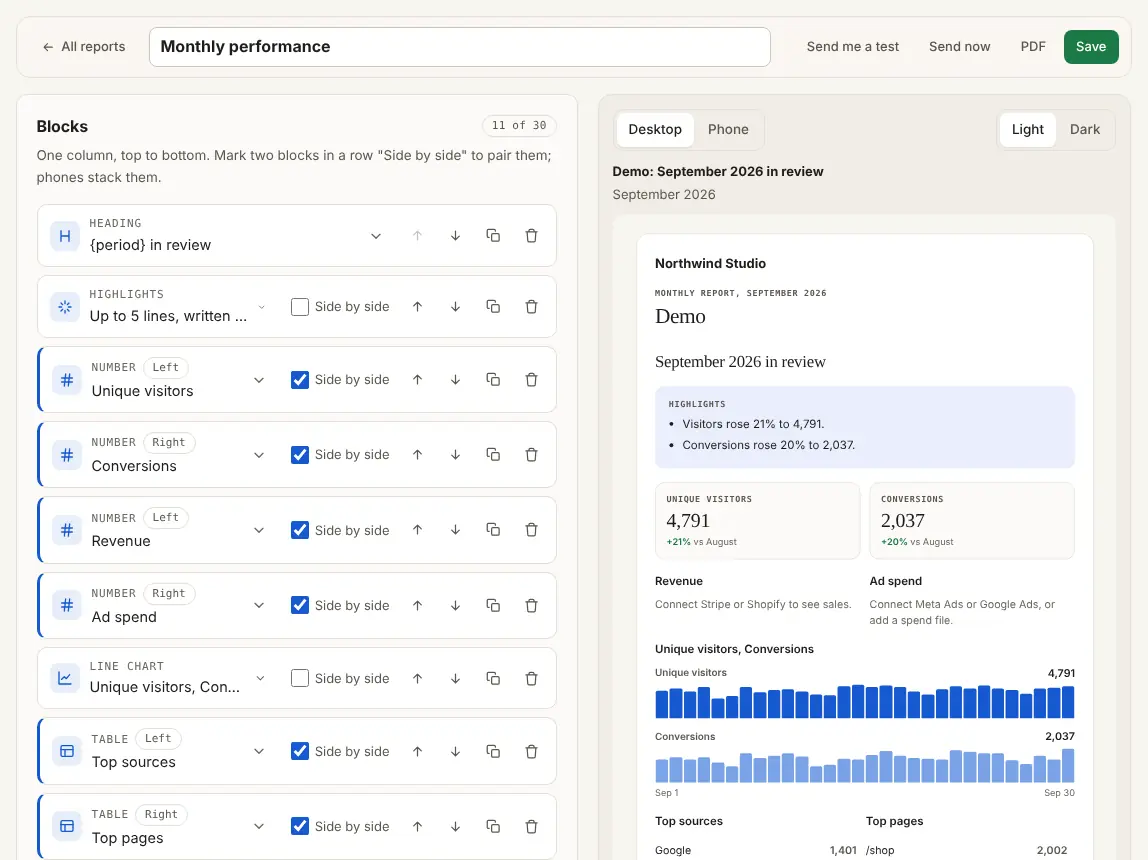
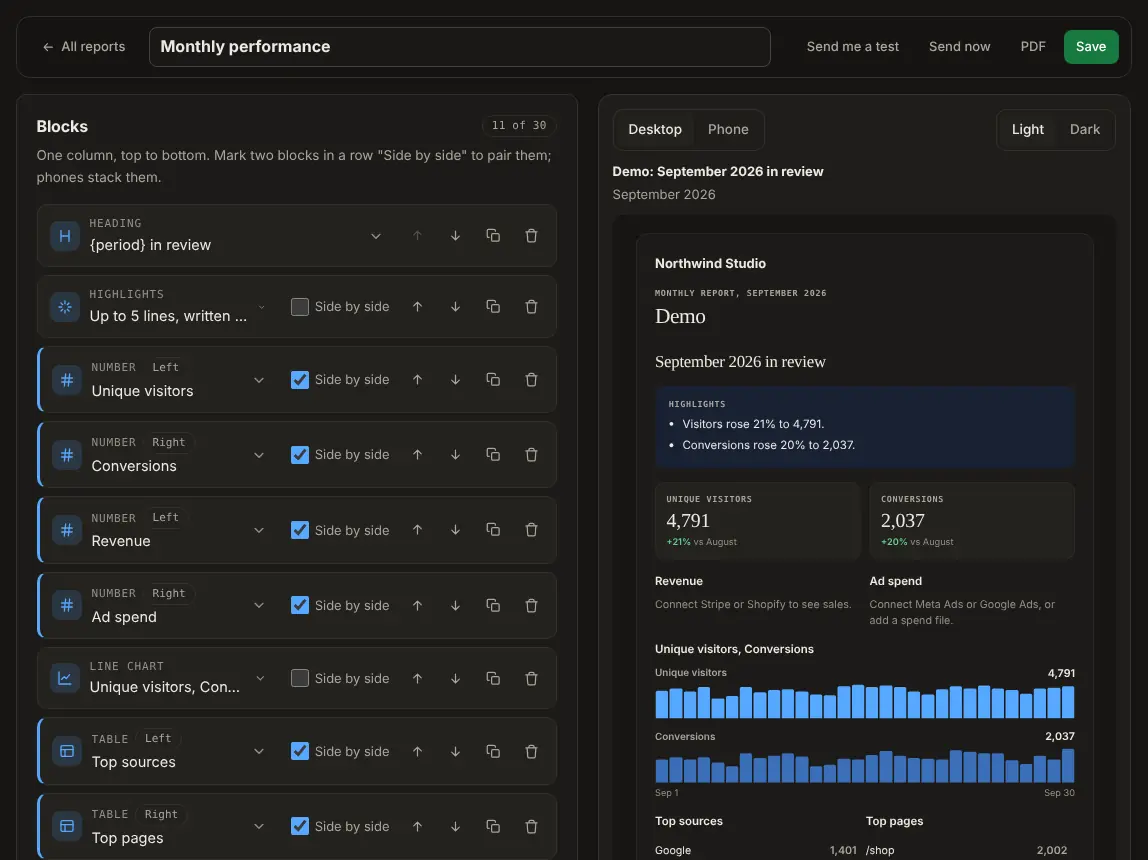
Step 04: Schedule the report
Pick a template. Set the day.
- Weekly ads, monthly performance and more.
- Change any block. Preview it on a phone.
- It goes out on that day from then on.
- No developer needed
- No changes to your ads
- No cookie banner in Private mode
The client sees what you earned.
You keep the client.
Better targeting
Every client's pixel learns from real sales.
- Goals you tick go to the Meta Conversions API
- Sent from our server, with an event id so each counts once
- On Solo, Studio, Agency and Custom. Google Ads upload (when shipped)
One dashboard
One login. Every client.
Visitors, sources, campaigns and goals on one page. Try it on the demo shop.
- Facebook1,998
- Google1,903
- Instagram916
- Newsletter542
For the first call
Audit a prospect in ten seconds.
Free, with no account. Use them on a sales call or in a proposal.
The plan that fits
For freelancers: Studio.
Up to 15 client sites, client reports, invites and shared dashboards with your logo. With up to 3 sites and no reports to send, Solo has the same attribution.
14 days free, card needed.
- 15 sites
- 1M pageviews and clicks a month
- Unlimited active short links
- 2 years of history
- Attribution and the Meta Conversions API
- Client dashboards and weekly reports
Our promise
30 days to decide. Or your money back.
If Datacenter is not right for you, ask within 30 days of your first payment. We refund it in full. No questions asked.
- Cancel any time in Billing
- Export your data as CSV
- Free plan with no card
Questions, answered.
I have two or three clients. Which plan?
Solo tracks up to 3 sites, with attribution and the Meta Conversions API. Client reports, shared dashboards and your logo start on Studio, with up to 15 sites.
Do my clients need an account?
No. On Studio and Agency, each dashboard can have a read-only link. Or invite a client by email: they sign in from the email, with no password to set.
Can the report carry my logo?
Yes, from Studio. On Agency, share pages and report emails show only your logo and name. Report emails still come from our address until custom sending domains exist.
Who puts the tag on the client's site?
You or the client. It is one line, and each site has its own install link to send to whoever can paste it.
Can I send each client's sales to their own Meta pixel?
Yes, on Solo, Studio, Agency and Custom. Each site has its own Meta connection, with its own pixel id and token.
I already use Google Analytics. Why add this?
Keep it if you like. Datacenter adds what it does not: short links that see the sale, credit by ad set and link, sales sent to Meta, and dashboards and reports a client can read.
Will it slow my site down?
No. The script is small, loads after the page and sends one short message per page view.
What does it cost?
Paid plans start at $49 a month, with prices on the pricing page. No sales call needed. Free is a small way to try basic stats.
What if it is not right for me?
Your first paid plan is free for 14 days, so cancel in Billing before then and you pay nothing. After that, ask within 30 days of your first payment and we refund it in full. No questions asked.
Prove which ads drive revenue.
Set up in minutes. Then watch the first sale come in.