Dashboards
A board built for your store.
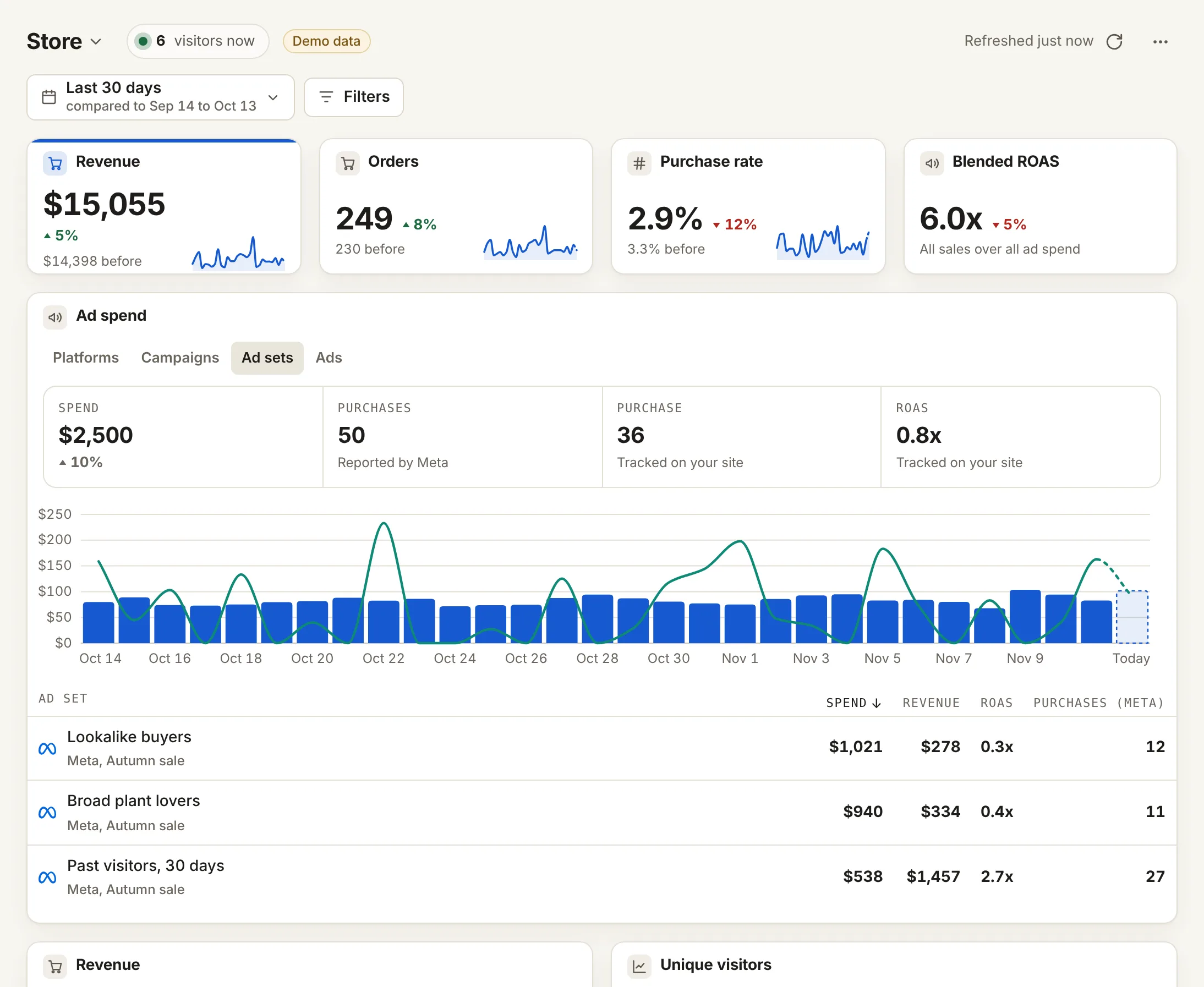
Say what you run. Datacenter picks the numbers, builds the board and keeps it current as you connect Meta, Shopify or Stripe.
- Six boards by business
- 92 metrics, 22 splits
- Add a card in two clicks
Dashboards
Done for you. Yours to change.
-
Built for you
Ready on day one
The board fills in from what you connect. No setup.
-
Any card
92 metrics, 22 splits
Visits, goals, sales, ads, email and calls, split any way.
-
Add card
Two clicks
Add card, then a metric. Your numbers show beside each.
Ads, side by side
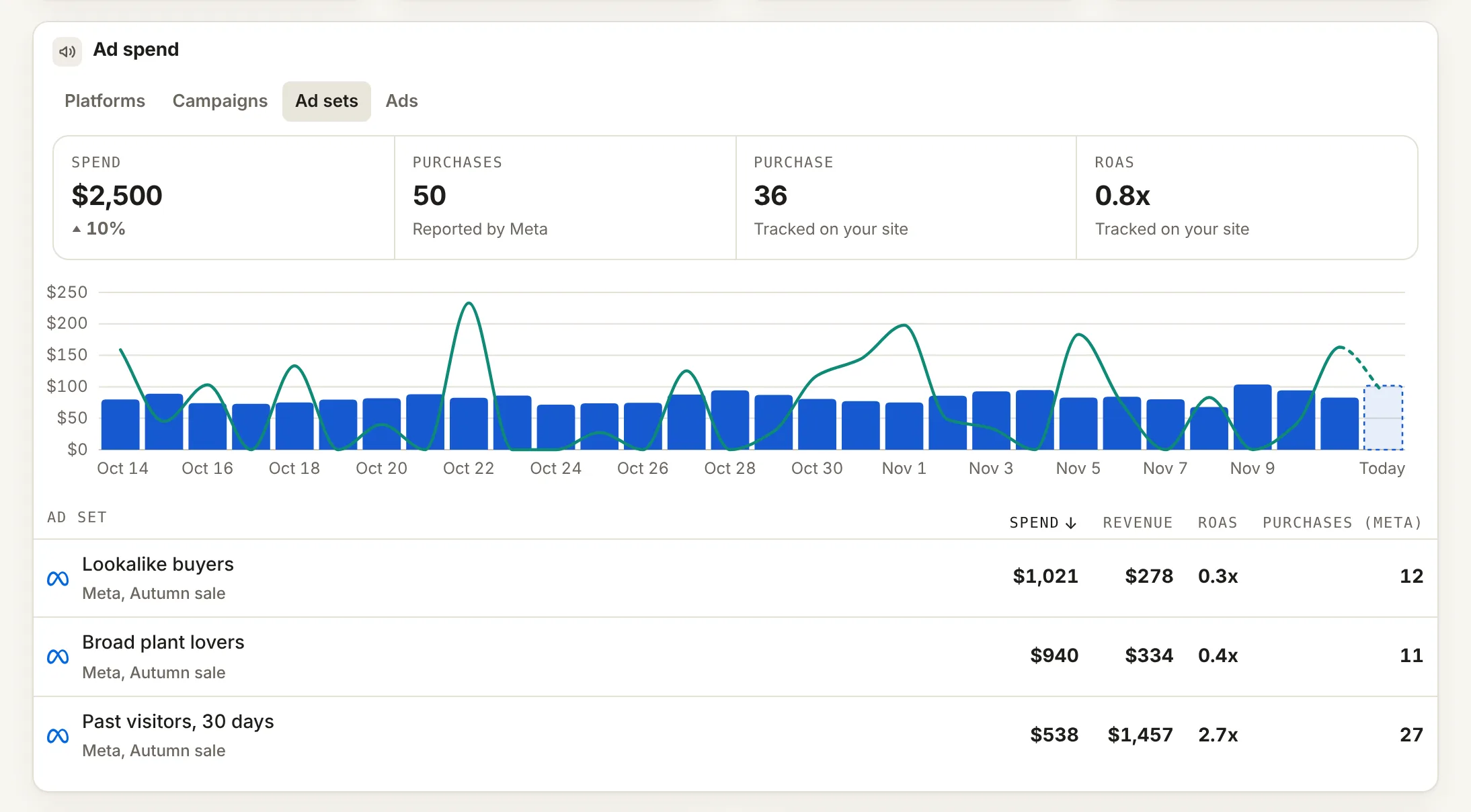
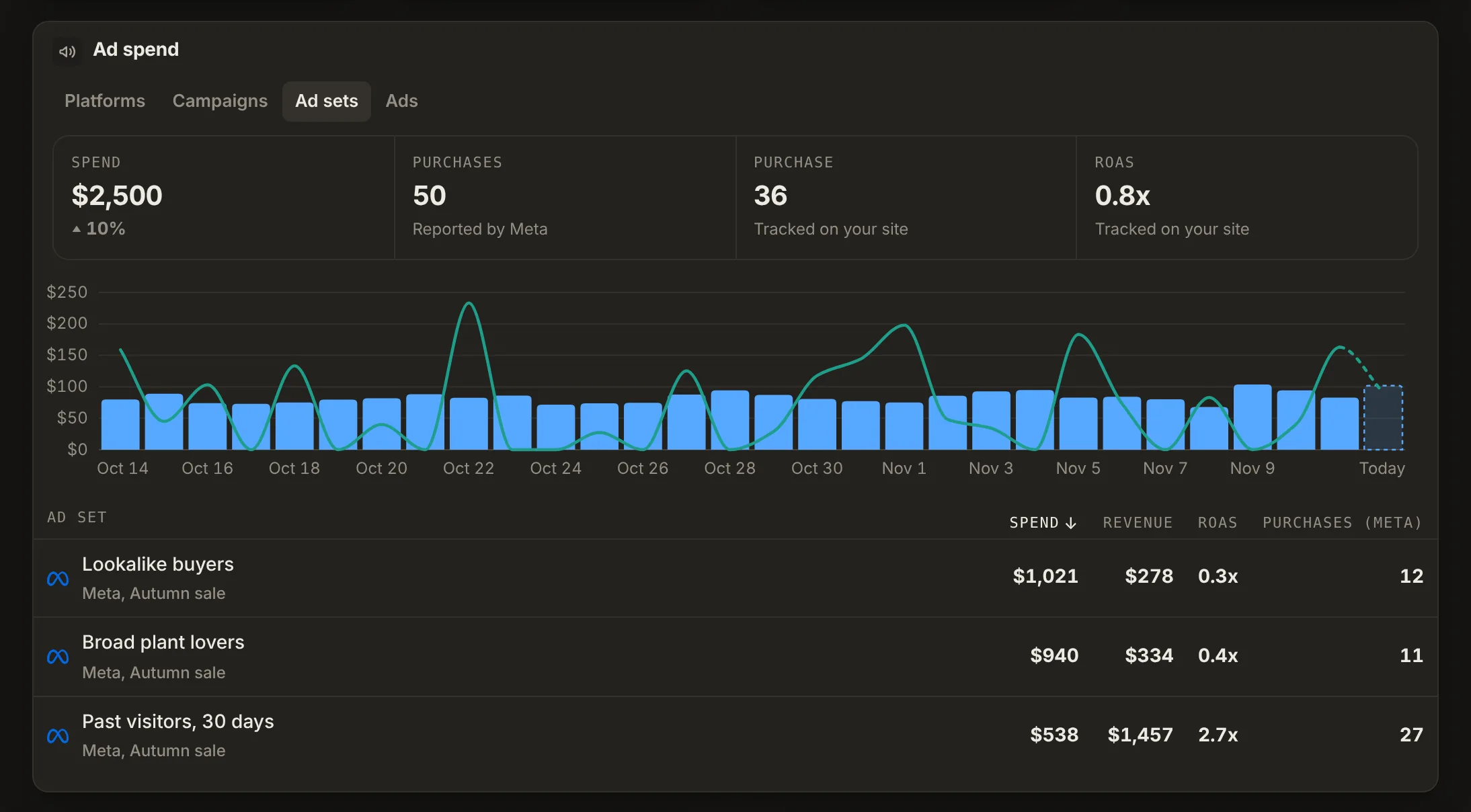
What Meta says. What your site saw.
- Signups, leads and purchases as Meta reports them
- Cost per signup, from Meta or from your goal
- Next to what Datacenter tracked, never added together
- By campaign, ad set and ad
Built for you
One board for each kind of business.
Shown with the tools each one usually connects. A card for a tool you have not connected waits until you do.
-
Shops on Shopify or Stripe
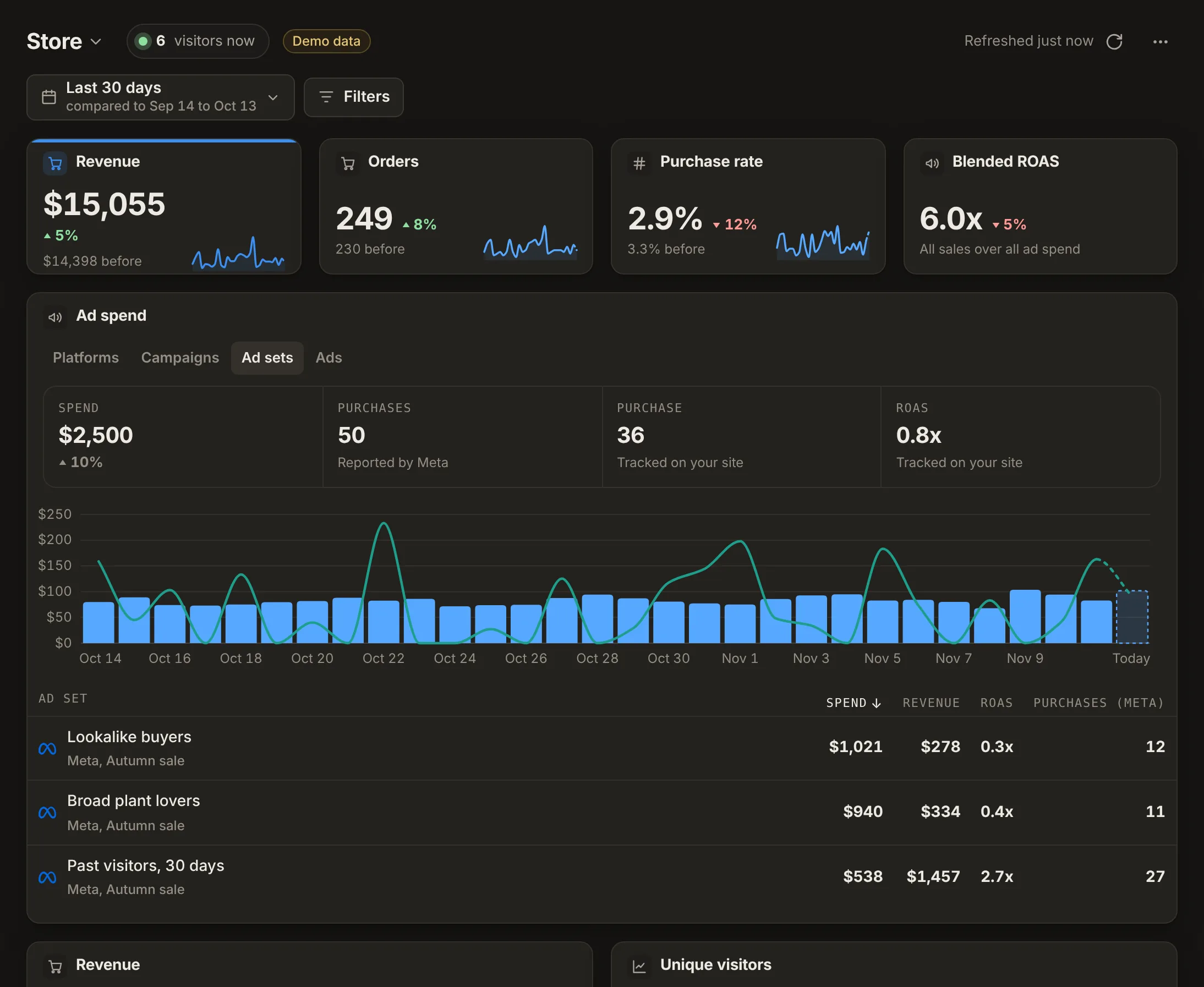
Store
Numbers
Revenue · Orders · Conversion rate · Blended ROAS
Cards
- Revenue over time
- Unique visitors over time
- Return on all ad spend
- Conversions by source
- Sales
- Funnel
- Ad spend by campaign
- Entry pages
- Email and texts
- What people told us
-
Forms, quotes and bookings
Lead gen
Numbers
Conversions · Conversion rate · Cost per conversion · Unique visitors
Cards
- Conversions and unique visitors over time
- Conversions by source
- Conversions by campaign
- Funnel
- Goals
- Ad spend by campaign
- Recent visitors
- What people told us
-
Signups and subscriptions
SaaS
Numbers
Conversions · Conversion rate · Cost per conversion · MRR
Cards
- Conversions and unique visitors over time
- MRR
- Conversions by source
- Lifetime value by source
- Time to first payment
- Funnel
- Top pages
- Ad spend by campaign
-
Calls and visits nearby
Local service
Numbers
Calls · Conversions · Cost per conversion · Missed calls
Cards
- Phone calls
- Conversions by source
- Devices
- Ad spend by campaign
- Goals
- What people told us
-
Blogs, media and newsletters
Content
Numbers
Unique visitors · Pageviews · Visit duration · Conversions
Cards
- Unique visitors and pageviews over time
- Top pages
- Entry pages
- Referrers
- Sources
- Countries
- Email and texts
- Visitors now
-
One page a client can read
Agency client
Numbers
Unique visitors · Conversions · Cost per conversion
Cards
- Conversions over time
- Sources
- Ad spend by campaign
- Goals
The details
Small things, done for you.
-
Compare
Last year, by weekday
Compare to last year with weekdays matched, so Mondays meet Mondays.
-
For clients
A simple view
Three big numbers and plain words. One button to the full board.
-
Tracking health
A score out of 100
A ring on every board: the share of tracking checks that pass.
Straight answers
What works today.
Live today
- Six boards by business, plus one picked for each new site
- Built boards stay current until you change a card
- 92 metrics on any card, as a number, line, bars or table
- 22 ways to split, and up to 3 filters a card
- Meta and Google numbers labeled with who counted them
- Compare to last year, weekday to weekday
- A read-only link per dashboard, and a simple view for clients, on Studio, Agency and Custom
Plans
Dashboards per site, by plan.
| Free | Solo | Studio | Agency | Custom |
|---|---|---|---|---|
| 1 | 5 | 12 | 25 | 25 |
Ad and sales numbers from Solo. Share links and the client view on Studio, Agency and Custom.Compare every plan
Our promise
30 days to decide. Or your money back.
If Datacenter is not right for you, ask within 30 days of your first payment. We refund it in full. No questions asked.
- Cancel any time in Billing
- Export your data as CSV
- Free plan with no card
Questions, answered.
Do I have to build a dashboard?
No. Each new site gets a board picked for what it is and what it has connected. A new dashboard can start from Store, Lead gen, SaaS, Local service, Content or Agency client.
What does "keeps itself current" mean?
A board Datacenter built is built again each time you open it, until you change a card. Connect Meta or Stripe, and its cards appear. Reset brings an edited board back.
Why do Meta and Datacenter show different numbers?
They count differently. Meta can count a view of an ad, or a sale on another device. Datacenter counts what happened on your site. Each number says who counted it.
Can I compare to last year?
Yes, on Solo, Studio, Agency and Custom, which keep 2 years of history. Turn on matching weekdays, and a Monday is compared with a Monday.
What do clients see?
On Studio, Agency and Custom, invited clients open a simple view: three big numbers, where visitors came from in plain words, and the latest sales or signups. One button opens the full dashboard.
I already use Google Analytics. Why add this?
Keep it if you like. Datacenter adds what it does not: short links that see the sale, credit by ad set and link, sales sent to Meta, and dashboards and reports a client can read.
Will it slow my site down?
No. The script is small, loads after the page and sends one short message per page view.
What does it cost?
Paid plans start at $49 a month, with prices on the pricing page. No sales call needed. Free is a small way to try basic stats.
What if it is not right for me?
Your first paid plan is free for 14 days, so cancel in Billing before then and you pay nothing. After that, ask within 30 days of your first payment and we refund it in full. No questions asked.
Prove results. Keep every client.
Set up in minutes. Then send the first report.